Quick answer
To cancel subscriptions on iPhone, open Settings, tap your name, then tap Subscriptions. Tap the subscription, then tap Cancel Subscription; you might need to scroll down. If there's no Cancel button or you see an expiration message in red, it's already canceled. To stop a free trial from renewing, cancel at least 24 hours before it ends.
- Where
- Settings, your name, Subscriptions
- Button
- Cancel Subscription
- Already canceled
- No Cancel button, or red expiry text
- Free trials
- Cancel at least 24 hours before it ends
On this page
How to cancel subscriptions on iPhone in Settings
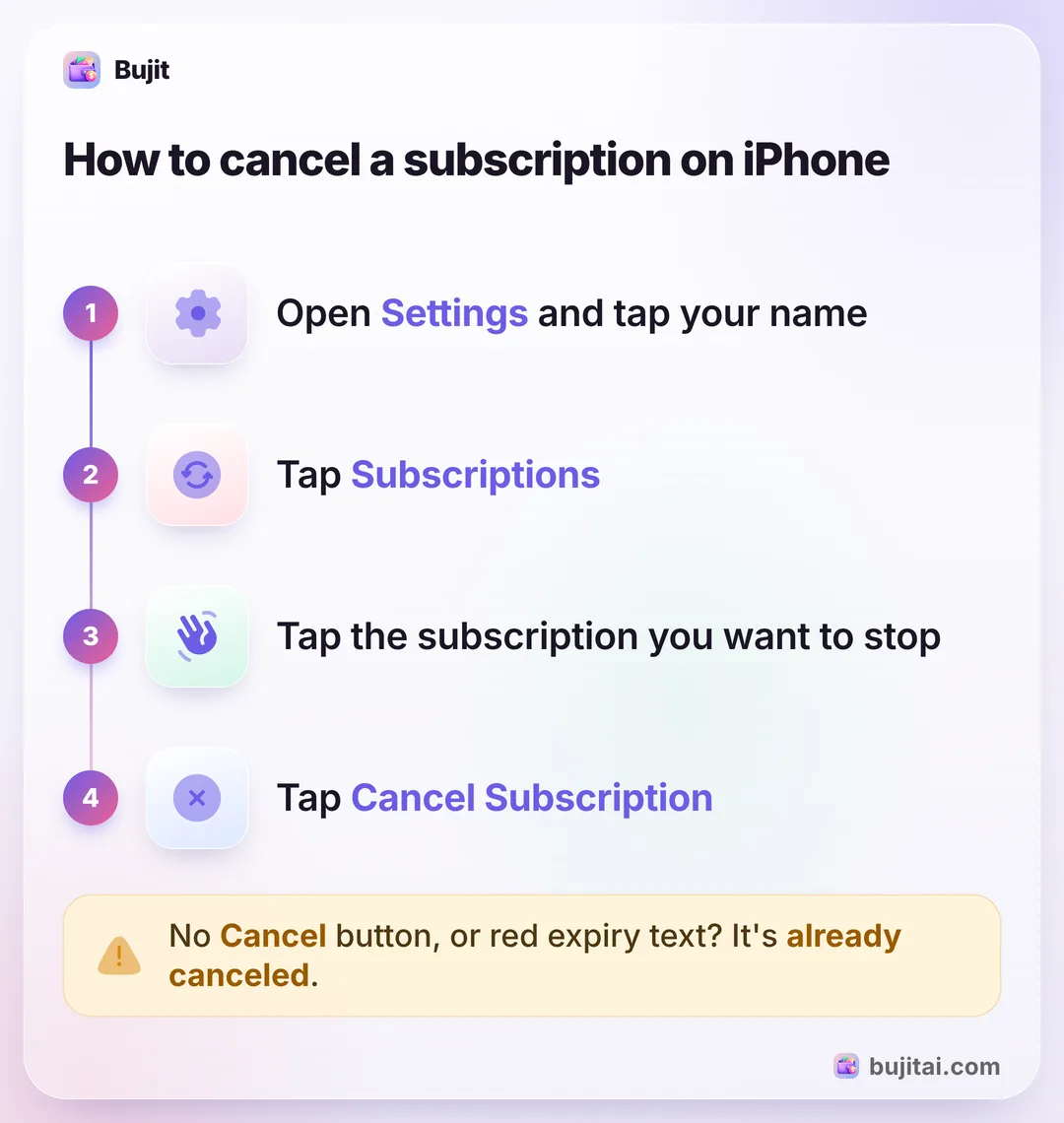
Here's how to cancel subscriptions on iPhone that Apple bills you for: Apple's own services and subscriptions you bought in apps from the App Store. These steps are for iOS 27.
- Open Settings and tap your name at the top.
- Tap Subscriptions.
- Tap the subscription you want to stop.
- Tap Cancel Subscription, or Cancel All Services if that's the button you see. You might need to scroll down to find it. If there's no Cancel button, or you see an expiration message in red, the subscription is already canceled.
The same screen lets you choose a different plan for an active subscription, renew an expired one with Renew, and turn on Renewal Receipt Emails, so you get a receipt each time a subscription renews. Expired subscriptions stay in the list too, which helps when seeing every subscription on your iPhone before you decide what to cancel.
If the subscription isn't in the list
A subscription that's missing from Settings may be billed to another Apple Account, or by another company. Apple's way to find out:
- Search your email for "receipt from Apple" or "invoice from Apple".
- Check which Apple Account the receipt shows. If it's a family member's, they have to cancel it; you can't cancel it for them. If it's another account of yours, sign in with that account and cancel it there.
- No receipt from Apple? You might have signed up with another company. Your bank or card statement shows who bills you, and you cancel with that company.
To see what Apple has charged you, open the App Store, tap the My Account button or your picture, tap Apps & Purchase History, then Purchase History. A subscription that came with your phone plan or through another provider is canceled with that carrier or provider.
Other ways to cancel, and free trials
- On the web: sign in at account.apple.com and cancel it there, from any browser.
- On a Mac: in the App Store, click your name at the bottom of the sidebar, click your name again, then Subscriptions. Click the subscription, then Cancel Subscription.
- Free trials: if you don't want a trial to renew, cancel it at least 24 hours before it ends.
- In some countries: canceling works slightly differently in Germany, Israel, South Africa and Türkiye, and a separate Apple Support page explains how.
What the Subscriptions list doesn't show you
Settings is the place to cancel what Apple bills you for, but that's all it does:
- Only Apple's subscriptions are in it. A streaming service you joined on its website, a gym, your phone plan or a newspaper is billed elsewhere.
- There's no monthly total. Each subscription is its own line, so you add them up yourself.
- Receipts come after a renewal. Renewal Receipt Emails tell you a subscription has renewed, not that it's about to.
- It isn't next to the rest of your spending. A $9.99 subscription looks small until you see it beside the month's groceries.
| Settings, Subscriptions | Bank or card statement | Bujit | |
|---|---|---|---|
| Cancels a subscription Apple bills you for | |||
| Shows subscriptions billed outside Apple | The ones you add | ||
| Adds up what they cost each month | |||
| Shows them next to the rest of your spending | That card or account only | ||
| Needs a bank login | No | Only to see it online | No |
How to keep track of subscriptions in Bujit
Bujit, the expense tracker we make, doesn't cancel anything and doesn't find subscriptions for you: there's no bank login, so it only knows what you add. What it does: once you add a subscription and set it to repeat, Bujit adds it again each time it renews, and you can see them all with their total.
In Bujit
Get Bujit- Log the subscription once. Tap +, then Manual Entry, and enter what it costs and what it's for.
- Make it recurring. Touch and hold the expense in your list, then tap Make Recurring.
- Choose how often. Set Repeat to Monthly, or Yearly for a yearly plan. For a monthly one, you can pick the day it renews under Days of Month. Leave Ends at Never, check the Start Date, then tap Save. Each time you open Bujit, it adds any payments that have come due, on the days they were due.
- See what they cost together. Open History and tap the ↻ Recurring filter. This Month shows the recurring payments added so far, with how many there are and their total; choose Last Month to see a full month. Anything else you set to repeat, like rent, is counted too.
- When you cancel one, stop it in Bujit too. Touch and hold it, then tap Cancel Recurring. Past payments stay in your history.
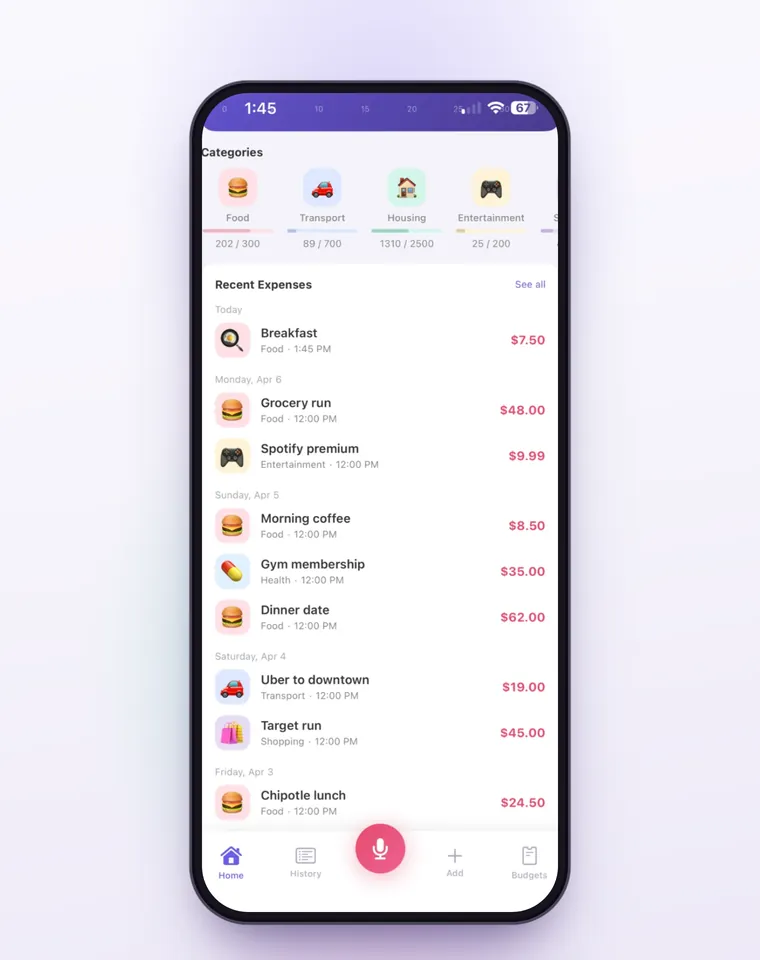
Voice entry and receipt scanning are part of Bujit Pro, and they send what they need to Google Gemini, only after you agree. Your expenses are stored on your phone, with no bank login and no account.
Which should you use?
- You want to stop something Apple bills you for: Settings, your name, then Subscriptions.
- There's a charge you don't recognize and no receipt from Apple: your bank or card statement, then the company that bills you.
- You want every subscription in one list, with what they cost each month: an expense app like Bujit, with each one set to repeat.
Subscriptions are one kind of bill that keeps coming back. Rent and your phone plan are others, and keeping track of all your recurring payments works the same way: add each one once and set it to repeat. If you're starting from scratch, tracking every expense for a month shows you where the money goes.
Questions people ask
Why can't I find a subscription to cancel on my iPhone?
It may be billed to another Apple Account or by another company. Search your email for "receipt from Apple" or "invoice from Apple" and check which Apple Account the receipt shows. If there's no receipt from Apple, check your bank or card statement to see who bills you, and cancel with that company.
How do I cancel a free trial on iPhone?
The same way as any other subscription: open Settings, tap your name, tap Subscriptions, tap the trial, then tap Cancel Subscription. Apple says to cancel at least 24 hours before the trial ends if you don't want it to renew.
Can I cancel an iPhone subscription without my iPhone?
Yes. Sign in at account.apple.com and cancel it there, or use the App Store on a Mac: click your name at the bottom of the sidebar, click your name again, then Subscriptions. On an iPad, the steps are the same as on iPhone.
Can I cancel a subscription for someone in my family?
No. If a family member's Apple Account is on the receipt, they have to cancel it themselves. If the receipt shows another Apple Account of your own, sign in with that account to cancel it.
How do I cancel a subscription I got through my phone carrier?
Contact your carrier or the provider that set it up. Apple sends you to them for subscriptions that came with a phone plan or through another provider.
How can I see what all my subscriptions cost each month?
Settings lists the ones Apple bills you for, one by one. To see every subscription with a monthly total, including the ones you pay elsewhere, log each in an expense app once and set it to repeat. In Bujit, History's Recurring filter shows your recurring payments for the period you pick and what they add up to.
Sources
- Cancel a subscription from Apple (Apple Support) (checked Oct 31, 2026)
- See your purchases and subscriptions in the App Store on iPhone (iPhone User Guide) (checked Oct 31, 2026)