Quick answer
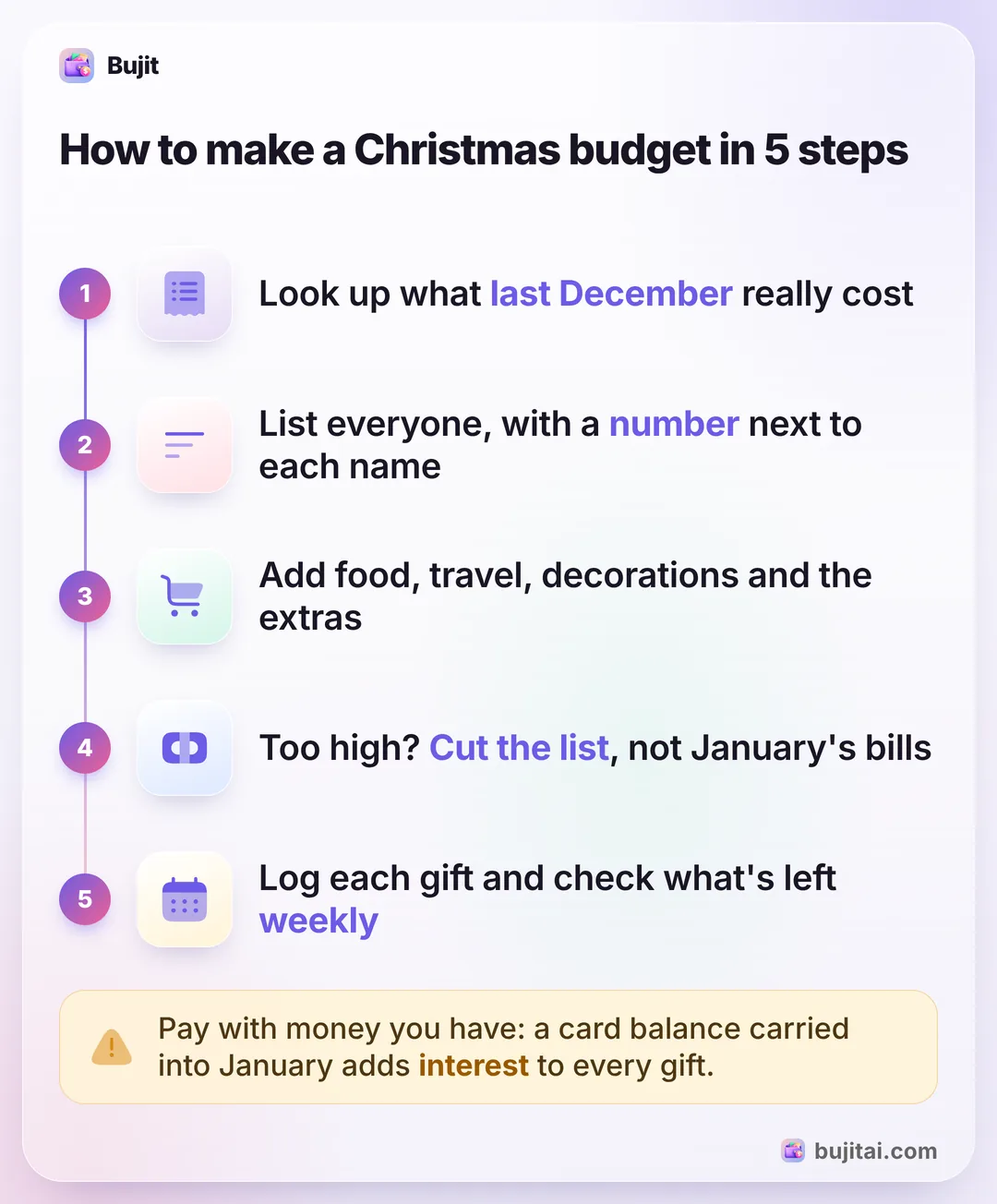
A Christmas budget is the total you decide to spend on the holidays before you shop. Start from what last December really cost, list everyone you'll buy for with a number next to each name, then add food, travel, decorations and the extras. If the total is more than you have, cut the list, not January's bills.
- Planned per person, 2025
- $890.49 (NRF survey)
- Of that, gifts
- $627.93
- Our example
- $600, gifts for five included
- Easy to miss
- Wrapping, cards, shipping, parties
On this page
How to make a Christmas budget, step by step
A Christmas budget is one total for the season, made of smaller numbers you can check: one for each person you buy for, and one for each thing the holidays cost besides gifts. You need a pen and paper or a note on your phone, and last year's statements.
- Start with last December. If you tracked it, look it up. If not, your card and bank statements for November and December show it. Add up the gifts, the food, the travel and the extras that are easy to forget: wrapping, cards, shipping, the gift exchange and the office party.
- Make the list. Write down everyone you'll buy for, with a number next to each name. Start with the people closest to you, and give the rest a smaller, equal amount.
- Add everything that isn't a gift. Food and hosting, travel to see family, decorations, cards and wrapping, and a little for the extras. That total is your Christmas budget.
- Check it against what you have. If it's more than you can pay for without a card balance, cut the list or the amounts, not January's rent and bills. Making a monthly budget shows how much room the rest of your month really leaves.
- Track each purchase and check once a week. Cross off each gift with what it cost, and compare what's left with the people still on the list. If one week runs over, make the next one lighter; getting a budget back on track works the same way in December.
If Christmas catches you short every year, plan it as a bill that comes once a year: divide next year's number by 12 and set that much aside each month. Picking budget categories covers where yearly costs like this fit in a monthly plan.
A $600 Christmas budget example
Here's one for a household buying for five people and hosting dinner. The numbers are made up; yours come from your own list and last year's statements.
| Amount | What it covers | |
|---|---|---|
| Gifts for five people | $290 | $90 for a partner, $60 for each of two children, $40 for each of two parents |
| Food and hosting | $150 | Christmas dinner and one evening with friends at home |
| Travel | $80 | Gas for a drive to see family |
| Decorations, cards and wrapping | $80 | Including shipping for gifts sent by mail |
| Total | $600 | Decided in November, not discovered in January |
If $600 doesn't fit, cut in this order: decorations, then hosting, then the gift amounts. On a longer list, drop the people furthest from you before any of these. Gifts for close family are usually the line you'll least want to touch, so protect it by trimming the others first.
How much do people spend on Christmas?
Every October the National Retail Federation asks thousands of U.S. adults what they plan to spend over the holidays, not only on Christmas. In its 2025 survey, conducted October 1 to 7 with 8,247 adults, people planned to spend $890.49 per person on average on holiday gifts, food, decorations and other seasonal items: $627.93 on gifts for family and friends, and $262.56 on things like food or candy, decorations and greeting cards.
Its 2026 survey, of 8,094 adults over the same week, found 56% of holiday shoppers saying the state of the economy would affect their holiday spending. Of those, 43% planned to shop for sales more often, 31% to comparison shop online more often and 29% to use coupons more often. Forty-three percent of holiday shoppers planned to start shopping before November, and half of those early shoppers said they did it to spread out their budget.
Those are plans, not receipts, and they're averages across the whole country. They tell you what's typical, not what you can afford; your own last December and your own month are the numbers that count.
Two rules that keep it real
- Pay with money you have. A card is fine for convenience if you pay it off when the bill comes. A balance you carry isn't: the Federal Reserve's average rate on bank credit card accounts charged interest was 22.36% in the third quarter of 2026, so a $600 balance costs roughly $11 a month in interest, every month it stays.
- Shop early only from the list. Starting in October or November spreads the cost over two or three paychecks, but only if what you buy is already on the list. Deals on things that aren't are the easiest way to finish over budget with a gift for everyone. Avoiding the purchases you didn't plan matters most in the weeks of the big sales.
What a list on paper doesn't do
A paper list is a fine plan. It's a weak tracker:
- It doesn't add up as you go. The list says $290 for gifts; it doesn't say you've spent $240 of it with two people left.
- The extras slip through. Wrapping paper, a last-minute card and shipping are small enough to never make the list, and together they're often what puts December over.
- Nothing lands on it by itself. Gifts bought with cash, on two cards and online each leave their own trail, and a purchase you forget to write down isn't there.
- It doesn't remember next year. Unless you keep it, next November you're guessing again.
| Paper list | Spreadsheet | Cash envelope | Bujit | |
|---|---|---|---|---|
| Shows what's left as you shop | If you write each one down | If you keep it up | As you log each one | |
| Cash and cards in one place | Cash only | |||
| Adds it up for you | ||||
| Tells you when you're close | When it's empty | In the app, as you log | ||
| Shows you next year what you spent | If you keep it |
How to keep a Christmas budget in Bujit
Bujit, the expense tracker we make, puts each purchase you log into your month with its category, and Budgets shows how much of each category's budget you've spent. A Gifts category keeps Christmas apart from your everyday shopping.
In Bujit
Get Bujit- Add a Gifts category. On Home, tap the gear, then Categories, then +. Enter a name such as Gifts, pick a color and an icon, and tap Save.
- Give it your gift total. Open Budgets, tap Set a budget under Gifts, enter your gift number ($290 in our example) and tap Save. Food and travel stay in their usual categories. Budgets count the calendar month and start again on the 1st, with nothing carried over, so if you shop in November and December, give each month its share and add anything November didn't use to December's. In January, tap the Gifts card and lower it or tap Remove Budget.
- Choose when to hear about it. On the budget, drag Notify me at to the share you want to know about, such as 80%.
- Log each gift when you pay. Tap +, then Manual Entry, enter the amount, what it was and the Gifts category, and tap Save. You can also say it out loud or scan the receipt.
- Next year, look up the real number. Open History, choose Custom and set the dates, then tap the Gifts filter or type gift in the search box. Bujit shows how many expenses match and what they add up to.
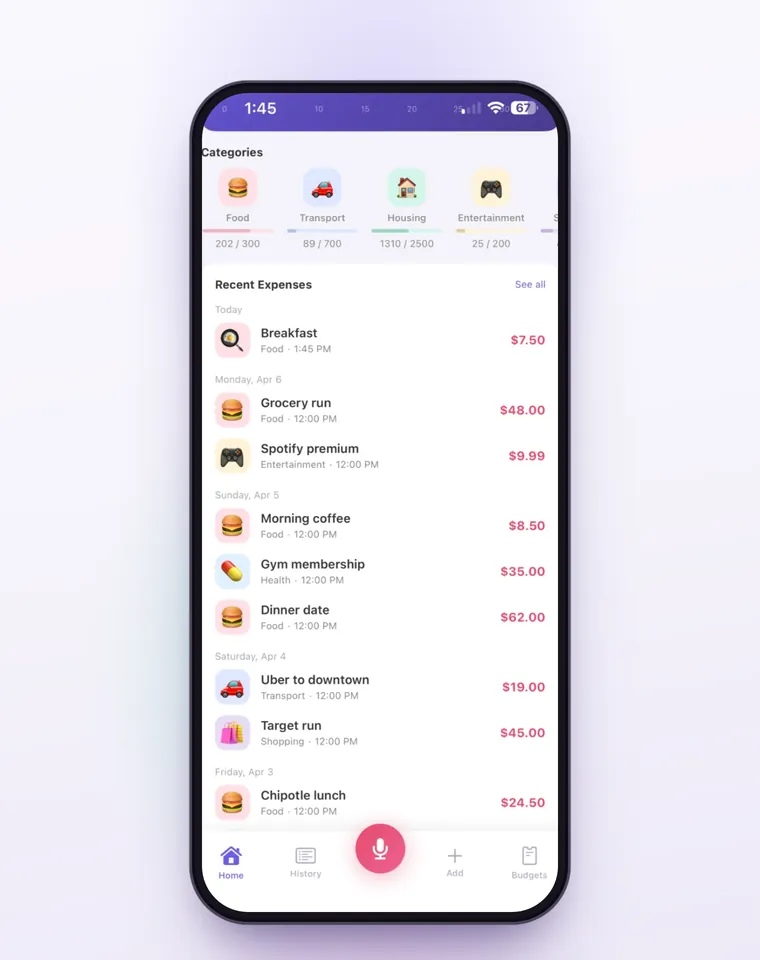
The Notify me at alert is a banner inside Bujit when you log an expense there that crosses the line. On iPhone, a Shortcuts automation can log each Apple Pay purchase you tap your iPhone to pay for, but those land in one of Bujit's built-in categories from the merchant's name and don't show the banner when you pay. To count one as a gift, touch and hold it in History, tap Edit, choose Gifts under Category and tap Save. Voice entry and receipt scanning are part of Bujit Pro, and they send what they need to Google Gemini, only after you agree. Your expenses are stored on your phone, with no bank login and no account.
Which should you use?
- You buy for a few people and like it simple: a list on paper or in your phone's notes, with a number next to each name and a line through each gift with what it cost.
- You pay for gifts in cash: an envelope with the Christmas money in it, and writing down what you spend in cash so it still counts in your month.
- You like formulas and will update it every few days: a spreadsheet with a row for each person and each extra.
- You want each gift counted as you buy it, cash and card, and next year's number waiting for you: an expense app like Bujit, with a Gifts budget.
Whatever you use, set the number before Thanksgiving weekend and keep the receipts for anything you might return. If January is the month that pays for December, a no-spend January is one way to reset, and saving a little each month for costs like Christmas keeps it from happening next year.
Questions people ask
How much should I spend on Christmas?
As much as you can pay for with money you have, without carrying a card balance into the new year. For a sense of scale, the National Retail Federation's 2025 survey found U.S. adults planned to spend $890.49 each on gifts, food, decorations and other holiday items. Your own last December is a better starting point than that average.
How much should I spend per person on Christmas gifts?
There's no set amount. Write down everyone you'll buy for and give each name a number, closer people first, then check that the total fits. In our $600 example, five people come to $290: $90 for a partner, $60 for each of two children and $40 for each of two parents.
What should a Christmas budget include?
Gifts, food and hosting, travel, decorations, cards and wrapping, plus the extras that are easy to forget: shipping, gift exchanges, the office party and anything new to wear. Leaving them out is how a budget that looked right in November runs over in December.
When should I start saving for Christmas?
As early as you can. Divide next year's Christmas number by the months left, so $600 starting in January is $50 a month. In the NRF's 2026 survey, 43% of holiday shoppers planned to start shopping before November, and half of those early shoppers said they did it to spread out their budget.
Is it OK to put Christmas on a credit card?
Only if you'll pay it off when the bill comes. The Federal Reserve's average rate on bank credit card accounts charged interest was 22.36% in the third quarter of 2026, so a $600 holiday balance carried into the new year adds roughly $11 a month in interest. Paying with money you have keeps December from following you into spring.
How do I see what I spent on Christmas last year?
Your card and bank statements for November and December show it, once you pick out the holiday purchases. In Bujit, open History, choose Custom and set the dates, then tap your Gifts category or type gift in the search box: Bujit shows how many expenses match and what they add up to.
How do I set a Christmas budget in Bujit?
On Home, tap the gear, then Categories, then +, and add a Gifts category. Then open Budgets, tap Set a budget under Gifts, enter your gift total and tap Save, and drag Notify me at to the share you want to hear about. Budgets count the calendar month, so split the number between November and December if you shop in both.
Sources
- Consumers to Spend Second-Highest Amount on Record, According to NRF Holiday Survey (National Retail Federation, October 2025) (checked Nov 25, 2026)
- Affordability Shapes Winter Holiday Shopping, According to NRF Holiday Survey (National Retail Federation, October 2026) (checked Nov 25, 2026)
- Consumer Credit, G.19 (Federal Reserve) (checked Nov 25, 2026)