Quick answer
Most budgets work with about six budget categories: housing, food, transport, health, shopping and entertainment, with savings as a line of its own. Rent and utilities go under housing, groceries and eating out under food. Add a category only when one hides something you want to watch, and keep one for the bills that don't come every month.
- Start with
- About six categories
- Biggest share
- Housing, 33.9% of household spending
- Don't leave out
- Savings and yearly bills
- Figures from
- BLS Consumer Expenditures, 2025
On this page
Budget categories, step by step
Budget categories are the groups you sort your spending into, so you can give each one a limit and see where the money goes. You don't need a long list. You need one where every purchase has an obvious home.
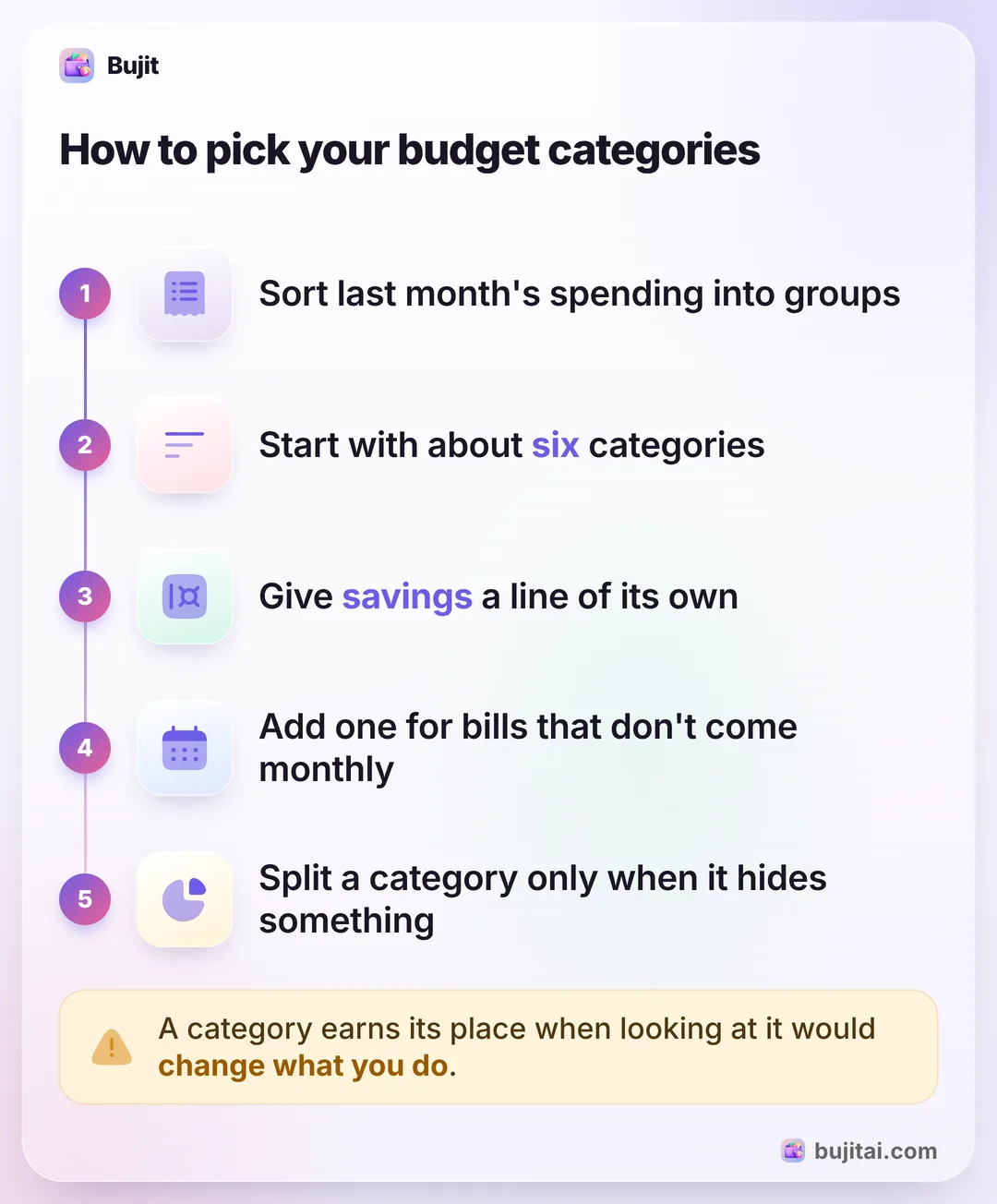
- Sort last month's spending into groups. Go through your bank and card statements and your receipts, and put each purchase into a rough group: the place you live, food, getting around, and so on. Last month's real spending shows which groups matter to you.
- Start with about six categories. Housing, food, transport, health, shopping and entertainment cover most of what a household buys. Keep each one broad, so you don't have to think about where a purchase goes.
- Give savings a line of its own. Decide what you'll put aside each month and treat it like a bill you pay when you're paid, not whatever is left at the end of the month. If you need a starting number, splitting pay 50/30/20 puts 20% toward savings and debt.
- Add a line for the bills that don't come every month. Car registration, a yearly subscription, holiday gifts: add up a year of them, divide by 12, and set that much aside each month.
- Split a category only when it hides something. If takeout turns out to be most of food, give eating out its own category. If small buys you didn't plan keep landing in shopping, a category of their own shows what they cost, and a few habits against impulse buying can bring that number down. If a category sits empty month after month, fold it into another.
Once the categories are set, each one needs a monthly limit. A first budget, step by step shows how to set them from what you earn, and how much to set aside for groceries works through the food one with real benchmarks.
The budget categories most households use
The Bureau of Labor Statistics asks thousands of U.S. households what they spend every year. Its 2025 figures, released in October 2026, show where the average household's money went, and most of it fits the six categories above.
| What goes in it | Share of spending | |
|---|---|---|
| Housing | Rent or mortgage costs, utilities, household services and supplies, furniture | 33.9% |
| Transport | Buying a car, gas, repairs and insurance, public transit | 16.5% |
| Food | Groceries and eating out | 13.0% |
| Health | Health insurance, doctor visits, prescriptions | 7.9% |
| Entertainment | Streaming, tickets, hobbies, pets | 5.0% |
| Shopping | Clothes, personal care, everything else | Clothes 2.5%, personal care 1.2% |
Food has two parts: $6,491 a year on groceries and $4,142 on eating out. If you want to watch one more than the other, that's the first category worth splitting. Cash given to charities and people outside your household, including alimony and child support, came to 2.7% and education to 1.9%; give either a line of its own if it's a real part of your month.
The BLS also counts personal insurance and pensions, at 12.4%. That's mostly Social Security and retirement contributions taken from pay before it reaches you, so a budget built on take-home pay leaves most of it out. A life insurance premium you pay yourself still needs a line. These are averages across every kind of household. Your own shares depend on rent where you live, how you get to work and who you buy for.
Fixed, flexible and the bills in between
Sorting by what's being bought is half of it. The other half is how each cost behaves, because that tells you which limits you can actually change.
- Fixed costs are the same every month: rent, the phone plan, insurance, loan payments. Set them once and check they still come out on the day you expect.
- Flexible costs move with what you do: groceries, gas, eating out, shopping. These are the categories where a weekly check makes a difference.
- Irregular bills come once or twice a year: car registration, a yearly subscription, a vet visit, birthdays and holidays. Leave them out and they're what breaks a careful budget the month they land. Keeping track of bills that repeat helps you see them coming, and when you create a budget, each one gets a monthly line: the yearly cost divided by 12.
| Notebook | Spreadsheet | Bank app | Bujit | |
|---|---|---|---|---|
| Uses your own categories | Some banks | |||
| Puts each purchase in a category | You write it | You type it | Many sort that bank's purchases | You pick; voice, receipts and Apple Pay fill one in |
| Totals each category this month | If you add it up | With formulas | Some banks, that bank only | |
| Includes cash | As ATM withdrawals | |||
| Needs a bank login | No | No | Yes | No |
How to set up budget categories in Bujit
In Bujit, the expense tracker we make, you give each expense a category, and Budgets gives each category its own limit.
In Bujit
Get Bujit- Start with the six. Bujit begins with Food, Transport, Housing, Entertainment, Shopping and Health. They're marked Default under Categories and can't be deleted.
- Add the ones you need. Tap the gear on Home, then Categories, then +. Type a Category name, pick a Color and an Icon, and tap Save. Savings or yearly bills can be categories too; what you log there counts toward the month's total.
- Give each category a limit. Open Budgets, tap Set a budget under a category, enter the Amount and tap Save. A category you add gets a card there like the six.
- Choose when to hear about it. Once a budget is set, its card shows Notify me at: drag it to the share you want, such as 80%. A banner tells you when an expense you add in the app passes it.
- See each category's month. Open History, choose This Month or Last Month, and tap a category: Bujit shows how many expenses it had and their total. Home shows a bar for each category.
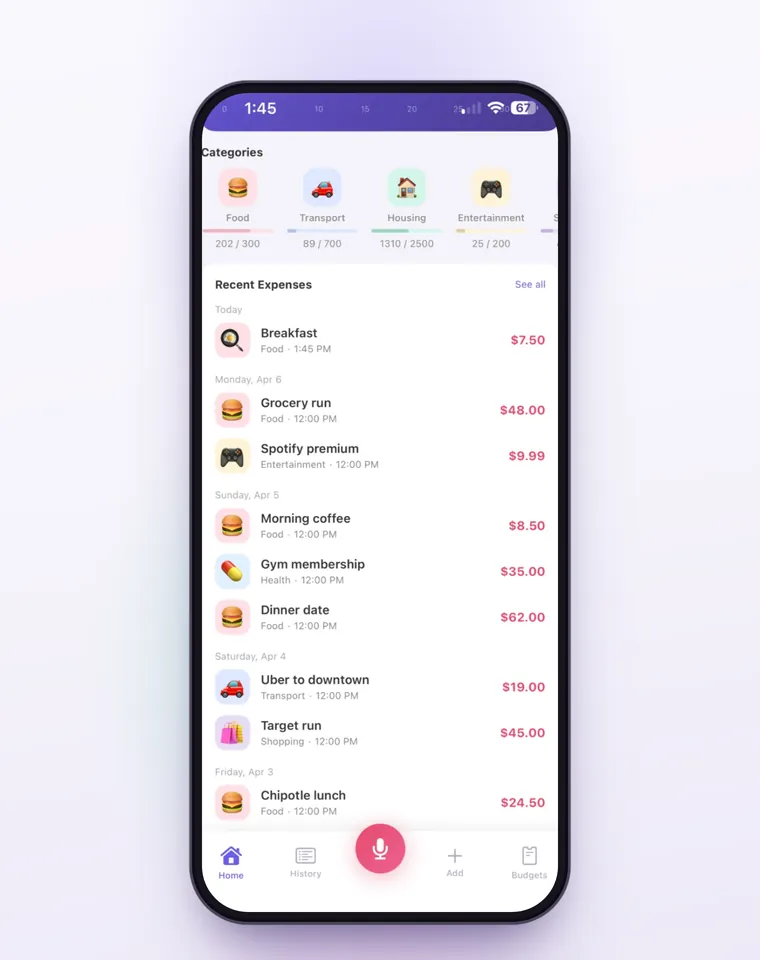
You pick the category when you type an expense. Voice entry and receipt scanning fill one in, and they're part of Bujit Pro: they send what they need to Google Gemini, only after you agree. On iPhone, a Shortcuts automation can log each Apple Pay purchase when you tap your iPhone to pay. Bujit sorts it into a category on your phone from the merchant's name, so check that those land where you expect. Apple Pay taps logged that way don't show the budget banner when you pay. Your expenses are stored on your phone, with no bank login and no account.
Which should you use?
- You want to see where the money goes before setting any limits: a notebook or a spreadsheet with the six categories, filled in for one month.
- You pay for almost everything with one card: your bank app's categories can be a start, as long as you check what it put where.
- You use cash and cards and want each category's total without adding it up: an expense app like Bujit, with your own categories and a limit on each.
Whichever you pick, keep the list short for the first month. The categories that matter to you show up once you've seen a month of real spending. After that, how to stick to a budget comes down to a weekly check.
Questions people ask
What are the main budget categories?
Housing, food, transport, health, shopping and entertainment cover most of what a household buys, with savings as a line of its own. In the Bureau of Labor Statistics' 2025 figures, housing, transportation and food alone were 63.4% of what the average U.S. household spent.
How many budget categories should I have?
About six to start. Fewer categories are easier to keep up, because every purchase has an obvious home. Split one only when it hides something you want to watch, such as eating out inside food, and merge any you never use.
Is savings a budget category?
It should be. Give savings a monthly amount and set it aside when you're paid, the way you'd pay a bill, instead of saving whatever is left at the end of the month. An emergency fund and a goal like a trip can each have their own line.
What percentage of my budget should go to each category?
There's no one right split, because rent and commutes vary so much. As a reference, the average U.S. household's 2025 spending went 33.9% to housing, 16.5% to transportation, 13.0% to food, 7.9% to healthcare and 5.0% to entertainment. Rules like 50/30/20 group categories into needs, wants and savings.
Where do irregular expenses go in a budget?
Give them a category of their own. Add up a year of the bills that don't come monthly, such as car registration, yearly subscriptions and holiday gifts, divide by 12, and set that amount aside each month so the month they land isn't a shock.
Can I make my own budget categories in Bujit?
Yes. Bujit starts with Food, Transport, Housing, Entertainment, Shopping and Health. To add one, tap the gear on Home, then Categories, then +, give it a name, a color and an icon, and tap Save. It gets its own card in Budgets, where you can give it a monthly limit.
Sources
- Consumer Expenditures, 2025 (U.S. Bureau of Labor Statistics) (checked Nov 4, 2026)