Quick answer
To stop impulse buying, put a pause between wanting something and paying for it. Wait 24 hours before buying anything unplanned, shop with a list, remove saved cards so checkout takes effort, and turn off shopping app notifications. Give unplanned buys a small monthly allowance, and log each one so you see what they cost.
- Before you buy
- Wait 24 hours
- In the store
- Shop from a list
- Online
- No saved cards, no shopping alerts
- Each month
- A small allowance for unplanned buys
On this page
How to stop impulse buying, step by step
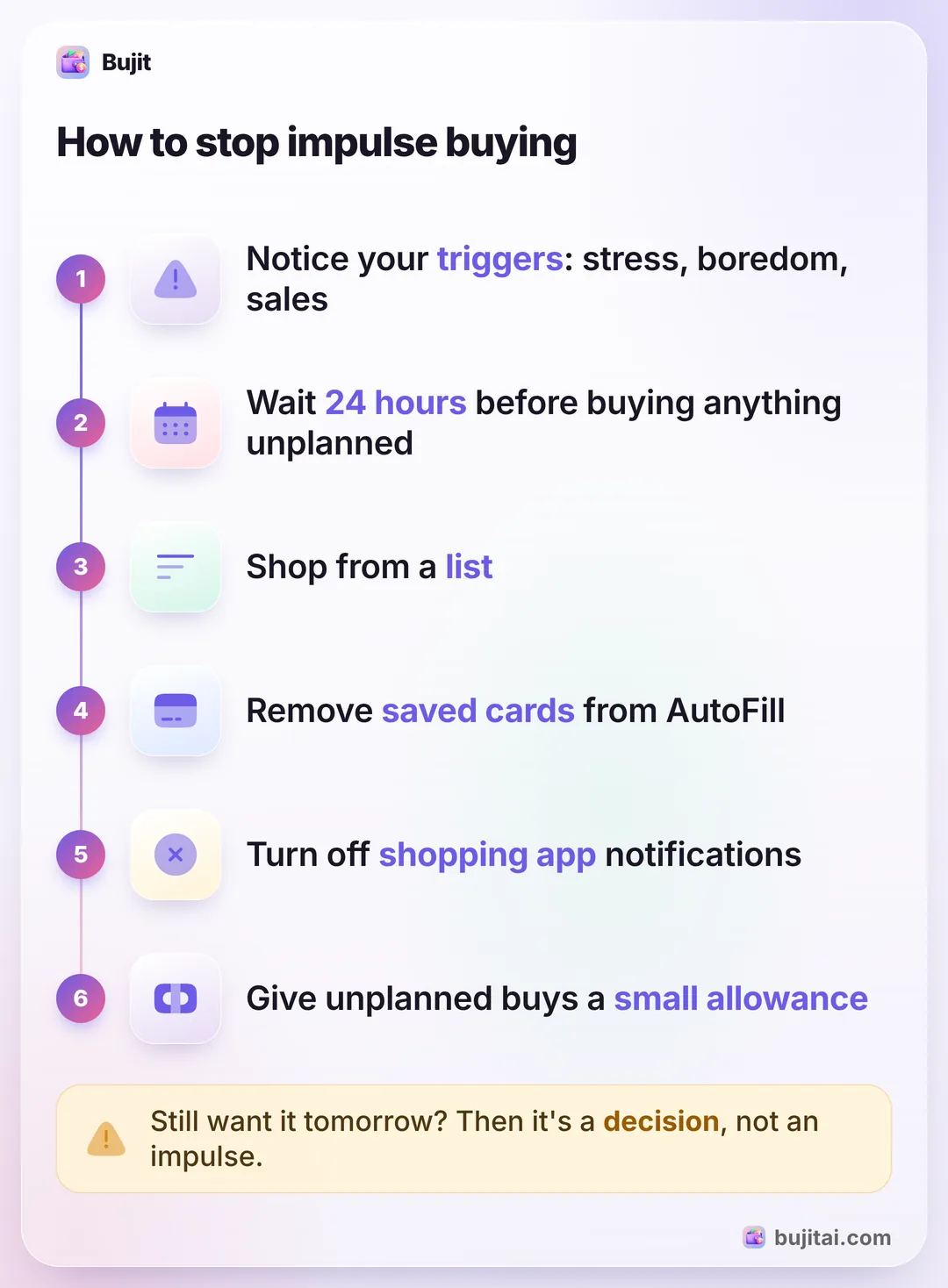
An impulse buy is a purchase you didn't plan, made on a feeling or a whim. Learning how to stop impulse buying is mostly about adding a pause between wanting and paying. These habits come from U.S. Bank's and Capital One's advice, and none of them needs an app:
- Find your triggers. Go through last month's statements and receipts and mark every purchase you hadn't planned. Next to each, note when it happened and how you felt. U.S. Bank lists stress, boredom, social pressure and fear of missing out as common triggers; yours will show up in the list.
- Wait 24 hours. When you want something you didn't plan for, put it in the cart or write it down and walk away. If you still want it tomorrow and it fits your budget, buy it.
- Shop from a list. Write the list before you go, in the store or online. If it isn't on the list, it stays out of the cart, or goes on tomorrow's list.
- Make checkout take effort. Don't let shops save your card. On iPhone with iOS 27, open Wallet, tap the more button, then AutoFill, confirm with Face ID or your passcode, tap a card and tap Remove From AutoFill. The card stays in Apple Pay; it just stops filling itself in at checkout in apps and on websites.
- Mute the temptation. Unsubscribe from sale emails and unfollow accounts that make you want things. To silence a shopping app on iPhone, go to Settings, then Notifications, tap the app and turn off Allow Notifications.
- Give unplanned buys an allowance. Set a small amount each month for things you didn't plan. Spending it is fine; when it's gone, the next want waits until next month. In the envelope method, that's the fun envelope.
- Keep an "almost bought" list. Write down what you nearly bought and its price. U.S. Bank suggests reviewing it every couple of weeks, and many things on it won't appeal anymore. Add up their prices: that's money you kept.
Subscriptions are impulse buys too. Capital One's examples include signing up for a streaming service to watch one movie, and a subscription keeps charging every month until you cancel it. If that sounds familiar, canceling a subscription on your iPhone takes a minute. For a stricter reset, a no-spend challenge takes unplanned buys off the table for a set time.
Questions to ask before you pay
When you're about to buy something unplanned, Capital One suggests stopping to ask a few questions:
- Was this on my list, or is it unplanned?
- Is it a need or a want?
- What am I feeling, and is that why I want this?
- Can I wait 24 hours, or longer?
- How many hours would I have to work to pay for it?
U.S. Bank adds two for sales: would I want this at full price, and where will it live in my home or life? If you can't answer both easily, skip it. A deal on something you didn't need still costs money.
What these habits don't show you
The habits above stop many single purchases, but on their own they leave a blind spot: the total.
- Small buys add up out of sight. A $6 snack and a $12 add-on don't feel like impulse buying, but ten of them a month do.
- Card taps leave no trace in your head. Cash makes each purchase feel real; a phone tap doesn't, so you can't tell where the month went without a record.
- A list only covers planned trips. The coffee on the way home and the late-night order never had a list.
| Notebook | Spreadsheet | Bank app | Bujit | |
|---|---|---|---|---|
| Shows this month's total of unplanned buys | If you add it up | With a formula | If you can tag them | A category with its total |
| Warns before the allowance runs out | If you set up color rules | Some banks | A banner when you add an expense in the app | |
| Includes cash | As ATM withdrawals | |||
| Logs a purchase without typing | That bank's cards only | Apple Pay iPhone taps, via a Shortcuts automation | ||
| Needs a bank login | No | No | Yes | No |
How to keep impulse buys in check with Bujit
Bujit, the expense tracker we make, has no bank login and no account. You log what you spend in a few seconds, and a category with a budget turns your allowance for unplanned buys into a number you can watch.
In Bujit
Get Bujit- Add a category for unplanned buys. On Home, tap the gear, then Categories, then +, name it something like "Unplanned" and tap Save.
- Give it your monthly allowance. Open Budgets, tap Set a budget under the new category, enter the Amount and tap Save.
- Choose when to hear about it. Drag Notify me at on its card to the percentage you want, such as 80%. A banner appears when an expense you add in the app reaches it.
- Log each unplanned buy when you pay. Tap + at the top right, then Manual Entry, enter the amount and what it was, including the shop's name, pick the category and tap Save. Planned purchases go in their usual categories.
- Look back once a week. Open History, tap your category and see how many unplanned buys there were this month and their total. Typing a shop's name in the search box shows how often you bought there.
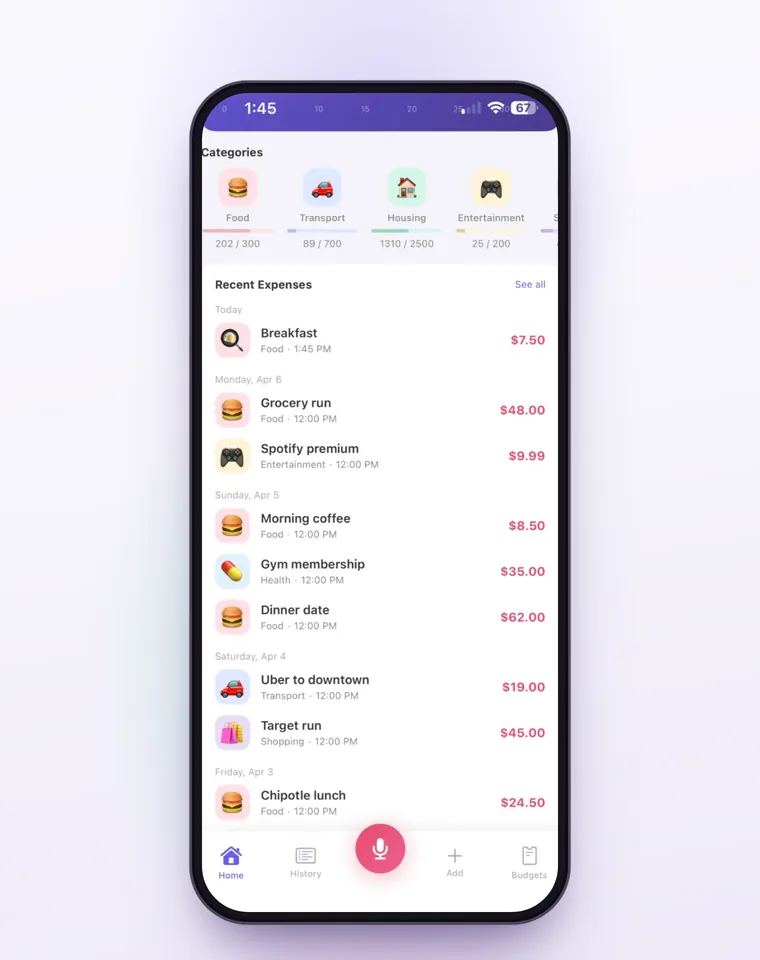
The budget card says Approaching limit past 80% and Over budget by the amount once you pass it. Budgets count the calendar month and start again on the 1st. On iPhone, a Shortcuts automation can log each Apple Pay purchase when you tap your iPhone to pay; logging Apple Pay taps automatically has the steps. It sorts them only into Bujit's six built-in categories, so move unplanned taps to your category yourself, and those taps don't show the budget banner when you pay. Voice entry and receipt scanning are part of Bujit Pro; they send what they need to Google Gemini, and only after you agree. Your expenses are stored on your phone.
Which should you use?
- You mostly pay cash: take out a set amount for the week and leave the cards at home. The empty wallet is the pause.
- You like writing things down: a notebook with an "almost bought" page and a tally of unplanned buys.
- You pay for nearly everything with one card: your bank app's history, read once a week with a highlighter for anything unplanned.
- You use cash, cards and Apple Pay and want the total without adding it up: an expense app like Bujit, with unplanned buys in a category of their own and a budget on it.
Whatever you choose, give it a month before you judge it. The first month shows you your triggers; the second is when the allowance starts to hold.
Questions people ask
How do I stop impulse buying online?
Add friction. Don't let shops save your card, remove saved cards from AutoFill (on iPhone, in Wallet), turn off notifications from shopping apps and unsubscribe from sale emails. Then use a waiting rule: leave the item in the cart for 24 hours and decide tomorrow.
What is the 24-hour rule?
When you want something you didn't plan to buy, wait a day before paying for it. Add it to your cart or write it down, walk away, and decide tomorrow. If you still want it and it fits your budget, it's a decision rather than an impulse. U.S. Bank and Capital One both suggest it.
Why do I keep buying things on impulse?
Usually a feeling, not a need. U.S. Bank names stress, boredom, social pressure and fear of missing out as common triggers, and shops add urgency with limited-time deals and one-click checkout. Writing down when each unplanned buy happened, and how you felt, shows your own pattern.
Is impulse buying always bad?
No. A treat you can afford is fine. It becomes a problem when unplanned buys keep pushing other plans aside, like savings or bills. A fixed monthly allowance for them lets you enjoy some without losing track of the total.
Does paying with cash help stop impulse buying?
For many people it does. U.S. Bank notes that cash adds friction and makes each purchase feel more real. Taking out a set amount for the week and leaving the cards at home is a simple test.
Can Bujit help me stop impulse buying?
It shows what unplanned buys cost you. Add a category for them, give it a monthly budget, and drag Notify me at to the percentage you want: a banner appears when an expense you add in the app reaches it. History then shows how many there were this month and their total.
Sources
- How to stop impulse buying (U.S. Bank) (checked Nov 9, 2026)
- Impulse buying: Definition, types and how to stop (Capital One) (checked Nov 9, 2026)
- Fill in payment information on iPhone (Apple Support) (checked Nov 9, 2026)
- Change notification settings on iPhone (Apple Support) (checked Nov 9, 2026)