Quick answer
A no-spend challenge means buying only essentials for a set time, often a week or a month. Rent, bills, basic groceries, gas and medicine still get paid; eating out, shopping and extras stop. Decide the rules and any exceptions before you start, plan cheap meals and free fun, and log every purchase so slips show up.
- Still paid
- Rent, bills, groceries, gas, medicine
- Paused
- Eating out, shopping, extras
- How long
- A weekend, a week or a month
- Decide first
- The rules and your exceptions
On this page
How to do a no-spend challenge
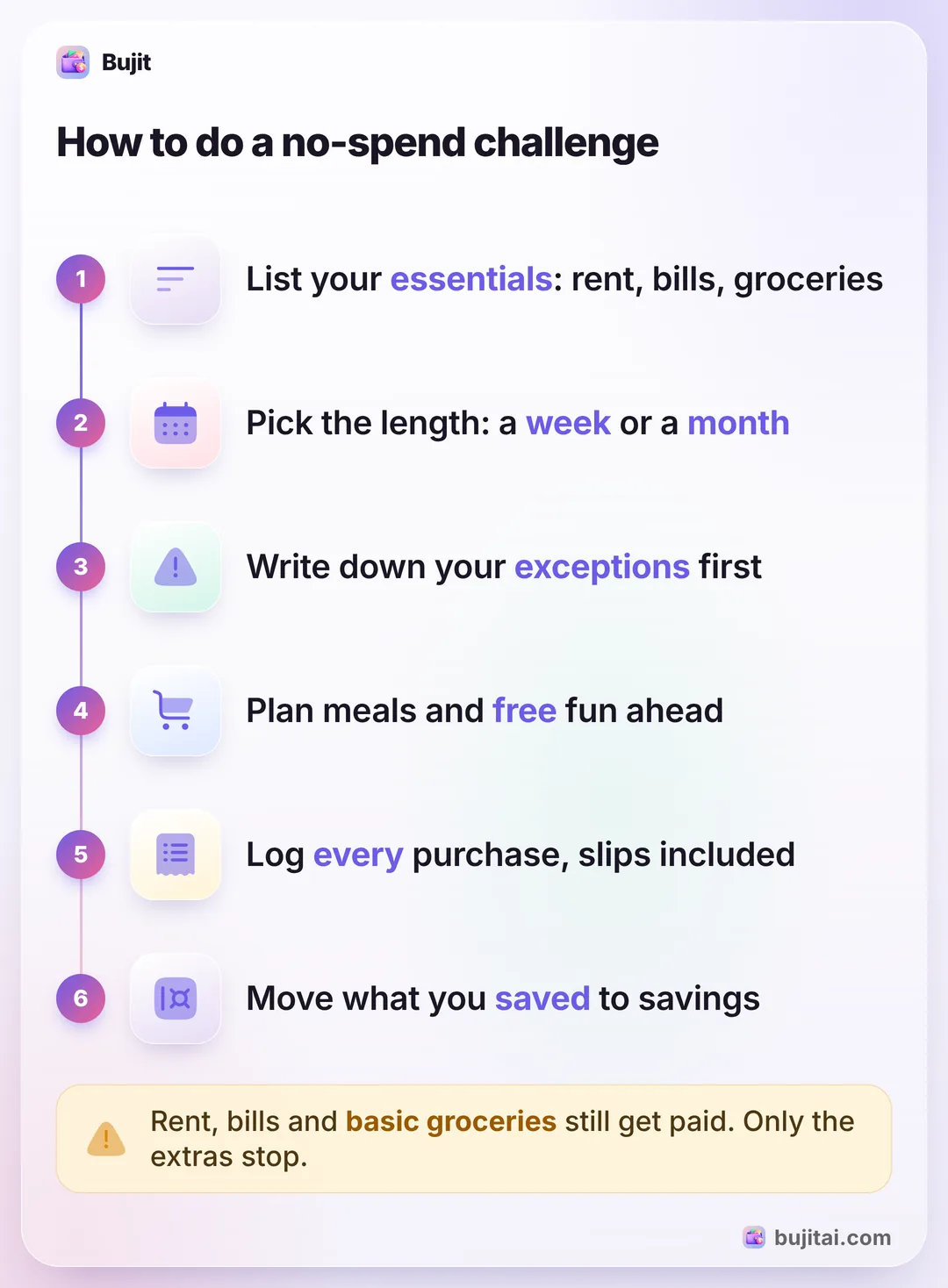
A no-spend challenge is a set stretch of time, often a week or a month, when you buy only what you need. It isn't about spending nothing: Fidelity describes it as cutting nonessential spending for a specific period, while rent, basic groceries, utilities, transportation and health care still get paid. These steps follow Fidelity's and Experian's advice and need nothing but a pen:
- Look at the last few months. Go through your statements and receipts and mark what you spent on extras: eating out, coffee, shopping, entertainment. That's what the challenge can free up.
- Write your list of essentials. Housing, utilities, insurance, basic groceries, gas or transit fares, medicine and toiletries. Decide the gray areas now. Fidelity's example is a gym membership you might call essential for your health, and Experian asks whether ready-made meals from the grocery store count as eating out.
- Pick the length. A weekend or a week is a good first try. Fidelity notes that many people choose a month because it's ambitious but achievable.
- Name your exceptions. A close friend's wedding or a laptop that breaks shouldn't end the challenge. Fidelity suggests allowing for planned occasions and unexpected expenses; write them down before you start, with a rough amount.
- Plan for the moments you'd usually spend. Stock the pantry, plan easy meals so takeout isn't the fallback, and find free things to do, like the library, a hike or what's already on your shelves.
- Tell someone and keep score. Experian suggests finding accountability, from a group or the people you live with, and a way to see your progress, such as a countdown app or a printout.
If unplanned buys are what you're resetting, habits that slow down impulse buys keep working after the challenge ends.
What you can still buy, and what waits
The list is yours, but most no-spend challenges split spending like this:
| Still paid | Waits until it ends | |
|---|---|---|
| Food | Basic groceries | Takeout, coffee runs, snacks on the go |
| Home | Rent or mortgage, utilities, insurance | Decor, gadgets, home upgrades |
| Getting around | Gas, transit fares | Rideshares you could skip |
| Personal | Medicine, soap, shampoo | New clothes, beauty extras |
| Fun | Free events, the library, what you own | Concerts, new games, shopping trips |
Subscriptions are a gray area. Experian asks whether you'll keep paying for streaming during the challenge. There's no single answer, but if a subscription would only sit unused, the challenge is a good time to cancel it. If you're not sure what you pay for, here's how to see your subscriptions on iPhone, including the ones Apple doesn't bill. Experian also suggests a narrower version if one category is the problem, such as no eating out for a week or no online shopping for a month.
What a no-spend month can free up
Say last month's extras came to $460: $180 eating out, $45 on coffee, $140 shopping and $95 on fun. A no-spend month frees most of that, minus the exceptions you allowed. If you kept $60 aside for a birthday gift, about $400 is left over.
That money disappears quietly if it stays in your checking account. Fidelity's ideas for it:
- Emergency savings. Aim for $1,000 to start, then enough to cover three to six months of essential expenses.
- High-interest debt. A credit card balance costs you interest every month it stays.
- Retirement or a short-term goal. An IRA, a trip, a wedding or a down payment.
Fidelity also suggests automatic transfers, so the money moves before you have time to spend it; paying yourself first on every payday does that without a challenge. If a habit of saving is what you're after, a 52-week savings challenge keeps it going all year.
What a no-spend challenge doesn't do
- It isn't a budget. Experian calls it a temporary push rather than a sustainable way to budget. When it ends, the old spending comes back unless something else replaces it.
- Too strict can backfire. Experian warns that being too strict can lead to burnout, and that can mean spending more than you would have.
- It doesn't touch your bills. Rent, insurance and loan payments go out as usual, so the challenge only works on what's left after them.
- Card slips don't show up by themselves. A tap at the coffee shop on day 12 is easy to forget unless you write it down.
| Paper calendar | Spreadsheet | Bank app | Bujit | |
|---|---|---|---|---|
| Shows what slips and exceptions cost | If you add them up | With a formula | If you can tag them | An exceptions category with its total |
| Warns before the exceptions money runs out | If you set up color rules | Some banks | A banner when you add an expense in the app | |
| Includes cash | As ATM withdrawals | |||
| Logs a purchase without typing | That bank's cards only | Apple Pay iPhone taps, via a Shortcuts automation | ||
| Needs a bank login | No | No | Yes | No |
How to keep score on a no-spend challenge with Bujit
Bujit, the expense tracker we make, has no bank login and no account. You log what you spend in a few seconds, essentials included, so by the end you can see which categories stayed empty and what each exception cost.
In Bujit
Get Bujit- See what last month's extras cost. Open History, tap This Month and pick Last Month, then tap a category such as Entertainment or Shopping to see its total. New to Bujit? Use last month's statements this time.
- Add a category for exceptions. On Home, tap the gear, then Categories, then +, name it something like "Exceptions" and tap Save.
- Give your exceptions a budget. Open Budgets, tap Set a budget under the new category, enter the amount you allowed, such as $60, and tap Save. Drag Notify me at on its card to the percentage you want; a banner appears when an expense you add in the app reaches it.
- Log every purchase when you pay. Tap + at the top right, then Manual Entry, enter the amount and what it was, pick the category and tap Save. Essentials go in their usual categories; planned exceptions and any slips go in Exceptions, so the banner tells you when they've used up what you allowed.
- Check once a week. Open History, check it says This Month, and tap a category. One that holds only extras, like Entertainment, should show no transactions, and Exceptions lists every exception and slip with what it was.
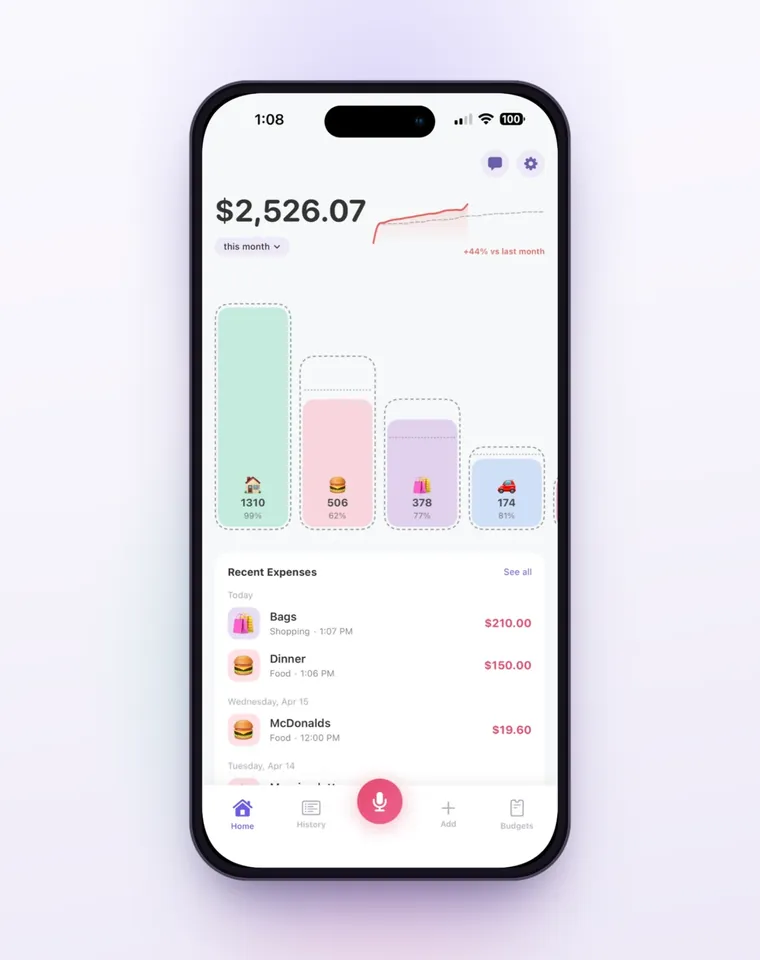
The budget card says Approaching limit past 80% and Over budget by the amount once you pass it. Budgets count the calendar month and start again on the 1st, so a challenge that starts mid-month shows up across two months. On iPhone, a Shortcuts automation can log each Apple Pay purchase when you tap your iPhone to pay; logging Apple Pay taps for you has the steps. It sorts them only into Bujit's six built-in categories, so move exception taps to your category yourself, and those taps don't show the budget banner when you pay. Voice entry and receipt scanning are part of Bujit Pro; they send what they need to Google Gemini, and only after you agree. Your expenses are stored on your phone.
Which should you use?
- You mostly pay cash: take out what you need for essentials each week and leave the cards at home.
- You like to see your progress: a printed calendar on the fridge, with each no-spend day crossed off and any slip written in the box.
- You pay for nearly everything with one card: your bank app's transaction list, read each Sunday for anything that wasn't on your list.
- You use cash, cards and Apple Pay and want the totals without adding them up: an expense app like Bujit, with exceptions in a category of their own.
When the challenge ends, don't go straight back to the old month. Keep one habit from it, like cooking at home on weeknights, and give the category you missed most a limit you can live with. If the habit you keep is cooking at home, cutting the grocery bill makes it cheaper still.
Questions people ask
What is a no-spend challenge?
A set stretch of time, such as a week or a month, when you buy only essentials. Fidelity describes it as cutting nonessential spending for a specific period, not stopping all spending: rent or the mortgage, basic groceries, utilities, transportation and health care still get paid.
What are the rules of a no-spend challenge?
You write them yourself before you start: what counts as essential, what's paused, how long it lasts and which exceptions are allowed. Then stick to that list until the last day. Fidelity suggests allowing for planned occasions, like a close friend's wedding, and for things that break, like a laptop.
What can you buy during a no-spend challenge?
Essentials: housing, utilities, basic groceries, gas or transit fares, medicine and toiletries like soap and shampoo. Anything else waits unless it's on your list of exceptions. Gray areas, like ready-made meals from the grocery store or a streaming subscription, are yours to decide before you start.
How long should a no-spend challenge last?
As long as you can keep it. A weekend or a week is a good first try, and Fidelity notes that many people choose a month because it's ambitious but achievable. Fidelity's examples run from a weekend to a full year.
What should I do with the money I save?
Move it out of your checking account before it gets spent somewhere else. Fidelity's ideas: emergency savings (aim for $1,000 first, then three to six months of essential expenses), paying down high-interest credit card debt, retirement savings or a short-term goal.
Does a no-spend challenge work?
As a short reset, yes: you spend less and see where your money was going. Experian calls it a temporary push rather than a sustainable way to budget, and warns that being too strict can lead to burnout and to spending more than you otherwise would have. Keep one habit from it when it ends.
Can I track a no-spend challenge in Bujit?
Yes. Log every purchase, essentials included, and add a category for the exceptions you allow. Give it a small budget, and Notify me at shows a banner when an expense you add in the app reaches the percentage you pick. History then shows each category's total for the month.
Sources
- How to do a no-spend month (Fidelity) (checked Nov 11, 2026)
- How to Do a No-Spend Challenge (Experian) (checked Nov 11, 2026)