Quick answer
Envelope budgeting gives each spending category a fixed amount at the start of the month, its envelope, and you stop spending in that category once it's empty. With cash, you put the bills in labeled envelopes. On your phone, each category gets a limit instead. On $1,000 a month of day-to-day spending, groceries might get $450.
- Each envelope
- A fixed amount for one category
- When it's empty
- Stop spending there until next month
- Bills
- Paid first, outside the envelopes
- Works with
- Cash or an app
On this page
How envelope budgeting works
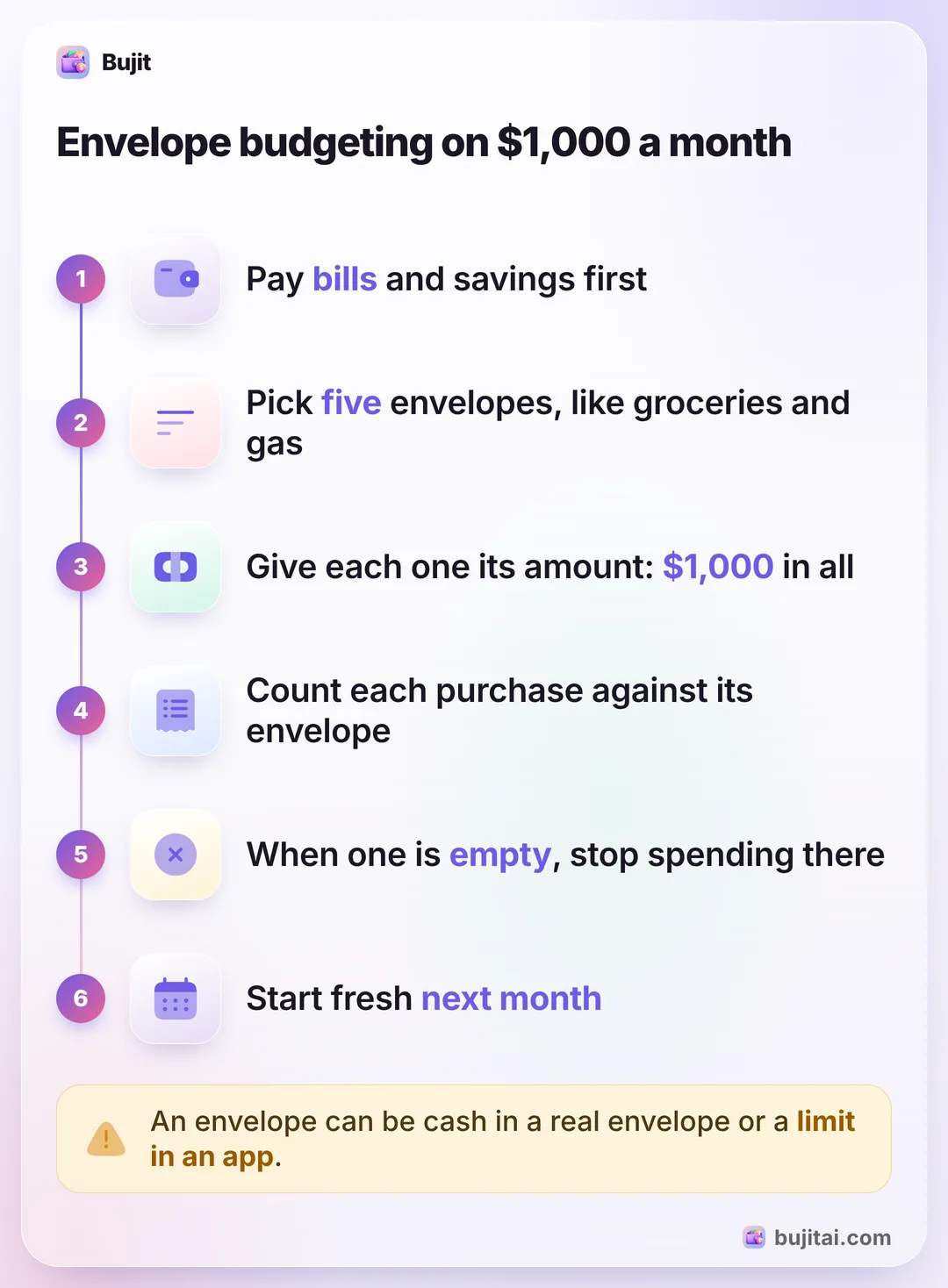
Envelope budgeting gives each kind of spending a fixed amount at the start of the month and asks you to stop when it's gone. The classic version is cash in labeled envelopes, one for groceries, one for gas, one for fun. Citizens and Quorum Federal Credit Union describe similar steps. In their versions, bills and savings get envelopes too; here they're paid first, and the envelopes hold what's left:
- Start from take-home pay. Use what lands in your account after taxes, not your salary.
- Pay the fixed bills and savings first. Rent, utilities, insurance and loan payments go out by autopay or transfer, and savings go aside when you're paid, the habit known as paying yourself first. The envelopes are for what's left.
- Pick a few envelopes. Choose the categories that change from month to month and that you tend to overspend: groceries, eating out, gas, personal care and fun. Five is plenty to start.
- Fill each one. Give every envelope its amount for the month or pay period. Together they add up to what's left after bills and savings, no more.
- Spend only from the envelope. Groceries come out of the grocery envelope. Once it's empty, Quorum's rule is simple: nothing more in that category until the next paycheck or month.
- Start again next month. Look at which envelopes ran dry and which had money left, and change the amounts before you fill them again.
If you've never added up a month before, building a first budget from last month's numbers gives you the amounts to start from, and choosing budget categories helps you pick the envelopes. If you'd rather give a job to every dollar, bills and savings included, planning every dollar down to zero takes the same idea further.
Envelope budgeting on $1,000 a month
Say that after rent, utilities, insurance, a car payment and $300 into savings, $1,000 of your take-home pay is left for day-to-day spending. That's what goes into the envelopes:
| Each month | What comes out of it | |
|---|---|---|
| Groceries | $450 | Supermarket runs, household basics |
| Eating out | $150 | Restaurants, takeout, coffee |
| Gas | $160 | Fuel, parking |
| Personal | $90 | Haircuts, toiletries, small gifts |
| Fun | $150 | Streaming, concerts, hobbies, nights out |
If you're paid twice a month, fill each envelope with half on each payday: $225 for groceries, $75 for eating out, and so on. Bills that come once or twice a year, like car registration or an annual membership, can get an envelope of their own, with a twelfth of the yearly cost going in each month.
When an envelope runs low halfway through the month, you have two honest choices: stop spending there, or move money in from another envelope on purpose, say $40 from fun to groceries. What breaks the method is topping it up from savings or a credit card. If the same envelope keeps emptying on things you never planned to buy, how to stop impulse buying covers the habits that help before you reach the checkout.
Cash envelopes or a phone
Cash is what made the method famous, and its strength is that you can't overspend what isn't in the envelope. The trouble is how most people pay now. In the Federal Reserve's 2026 Diary of Consumer Payment Choice, about one payment in seven was made in cash, while credit and debit cards made up two-thirds. Most people still carry some: 76% had cash on them, $69 on average.
Citizens and Quorum each point out downsides of going all cash:
- It takes time. Citizens calls a cash-only system time-intensive: trips to the ATM, counting, and keeping the envelopes topped up.
- It's hard to track. Cash leaves no record unless you write it down, so you can't look back at where the grocery money went.
- Not everywhere takes it. Quorum points out that fewer merchants accept cash, and that cash can be lost or stolen.
The digital version keeps the envelopes but moves them into an app: each category gets a limit, and every purchase, card or cash, counts against it. Quorum's one condition is that you record your spending, because nothing stops a card payment the way an empty envelope does. A mix works too. Keep cash for the envelope you overspend most, often eating out or fun, and track the rest on your phone. If you like the cash version, cash stuffing is the same idea with binders and labeled pockets, and tracking the cash you spend keeps it in your monthly totals.
What envelope budgeting doesn't do
- It doesn't plan your bills. Rent and insurance sit outside the envelopes, so you still need to know they're covered before you fill them. Creating a budget around your fixed bills comes first.
- Card payments don't empty an envelope by themselves. Unless you count each one against its envelope, a card makes the stop invisible.
- It doesn't tell you the amounts. An envelope set at a guess can run dry early. Start from what you really spent last month.
| Cash envelopes | Spreadsheet | Bank app | Bujit | |
|---|---|---|---|---|
| Shows what's left in each envelope | Count the cash | With formulas | Some banks | Spent of each limit, with a bar |
| Warns you when an envelope is nearly empty | You see it get thin | If you set up color rules | Some banks | A banner when you add an expense in the app |
| Works for card payments | ||||
| Includes cash | As ATM withdrawals | |||
| Needs a bank login | No | No | Yes | No |
How to do envelope budgeting in Bujit
Bujit, the expense tracker we make, turns each category's budget into an envelope. You set the amounts once in the Budgets tab, with no bank login and no account, and every expense you log counts against its envelope.
In Bujit
Get Bujit- Make each envelope a category budget. Open Budgets, tap Set a budget under a category, enter the Amount and tap Save. For the example above, that's Food for groceries, Transport for gas, Shopping for personal and Entertainment for fun.
- Add the envelopes Bujit doesn't have. For eating out, tap the gear on Home, then Categories, then +, and give the new category its budget the same way.
- Set the Monthly Budget to the total. If you only log your envelope spending, tap Set on the Monthly Budget card, enter $1,000 as the Amount and tap Save. It then shows what's left across all the envelopes at once.
- Choose when to hear about it. Drag Notify me at on a category's card to the percentage you want, such as 80%. A banner tells you when an expense you add in the app reaches it.
- Log every purchase, cash included. Tap + at the top right, then Manual Entry, enter the amount, what it was for and the category, and tap Save.
- Move money between envelopes on purpose. Tap a category's card to change its amount. Lower one and raise another by the same amount, so the total stays the same.
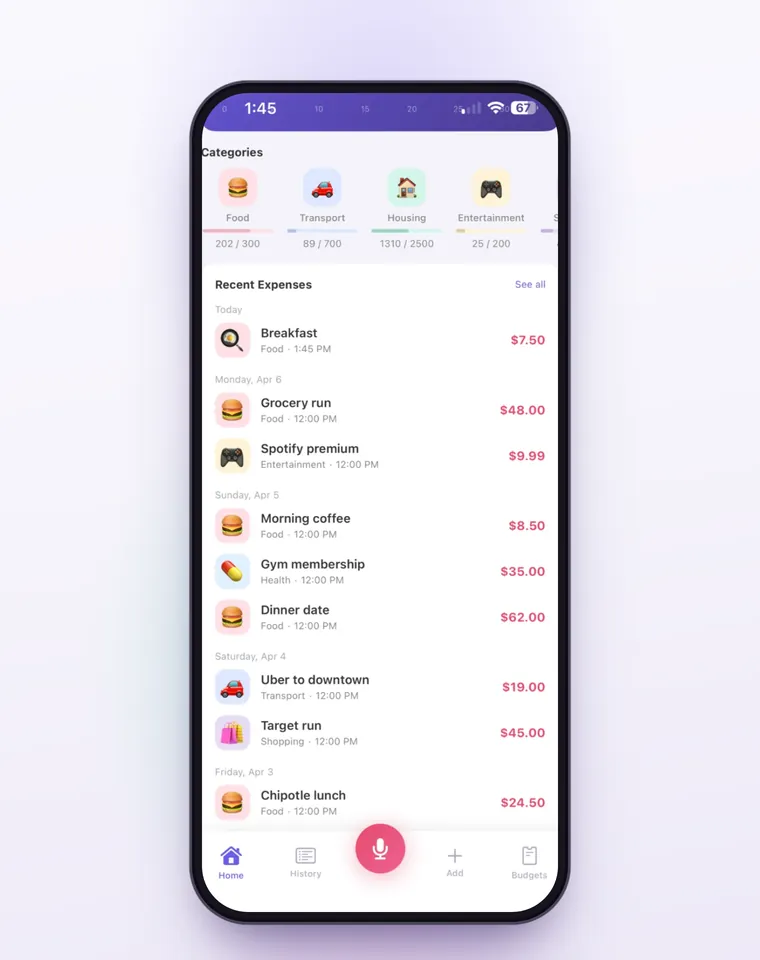
Each card shows what you've spent of its limit with a bar, says Approaching limit past 80% and Over budget by the amount you went over once you pass it. Budgets count the current month and start again on the 1st, and leftover money doesn't carry over, so move what's left to savings yourself.
On iPhone, a Shortcuts automation can log each Apple Pay purchase when you tap your iPhone to pay; logging Apple Pay purchases automatically has the steps. It only sorts into Bujit's six built-in categories, so move restaurant taps to Eating out yourself. Those taps don't show the budget banner when you pay, so open Budgets once a week too. Voice entry and receipt scanning are part of Bujit Pro; they send what they need to Google Gemini, and only after you agree. Your expenses are stored on your phone.
Which should you use?
- You pay mostly in cash and want a hard stop: real envelopes, refilled each payday.
- You like formulas and want to see the whole year: a spreadsheet with a row per envelope and a column for what's left.
- You pay for almost everything with one card: your bank app's categories may be enough, if it lets you set a limit for each one.
- You use cash and cards and want each envelope's balance without adding it up: an expense app like Bujit, with each envelope set as a category budget.
Give the envelopes two months before you judge them. The first month tells you which amounts were guesses, and the second is usually the one that fits.
Questions people ask
What is envelope budgeting?
A way to budget where each spending category gets a fixed amount at the start of the month or pay period, its envelope. You spend only what's in that envelope, and once it's empty you stop spending in that category until the next one starts. The envelopes can hold cash or be limits in an app.
Does envelope budgeting have to be cash?
No. The classic version uses cash in labeled envelopes, but Quorum Federal Credit Union describes a digital version where an app's categories act as the envelopes. It works the same way, as long as you record each purchase against its envelope.
What goes in the envelopes, and what doesn't?
The spending that changes from month to month: groceries, eating out, gas, personal care and fun. Fixed bills like rent, utilities, insurance and loan payments are better paid first, by autopay or transfer, and savings go aside when you're paid, before you fill any envelope.
What happens to money left in an envelope at the end of the month?
You decide. Move it to savings, put it toward a goal, or keep it in that envelope for next month. In Bujit, each category's budget starts again every month and leftover money doesn't carry over, so move what's left to savings yourself.
What if an envelope runs out before the month ends?
Stop spending in that category, or move money in from another envelope on purpose, such as from fun to groceries. Don't refill it from savings or a credit card, or the envelopes stop meaning anything. If the same envelope runs dry every month, its amount is too low.
Can I do envelope budgeting in Bujit?
Yes. Open Budgets, tap Set a budget under a category, enter the envelope's amount and tap Save. Each card then shows what you've spent of its limit, says Approaching limit past 80% and Over budget by the amount you went over once you pass it. Notify me at shows a banner when an expense you add in the app reaches the percentage you pick.
Sources
- The envelope budget system: What it is and how to do it (Citizens) (checked Nov 8, 2026)
- The Digital Envelope Budgeting System (Quorum Federal Credit Union) (checked Nov 8, 2026)
- 2026 Diary of Consumer Payment Choice (Federal Reserve Financial Services) (checked Nov 8, 2026)