Quick answer
Budgeting for beginners starts with last month's real numbers: add up what came in and what went out, list your bills with their due dates, and sort the rest into about six categories. Give each category a monthly limit that fits your income, log what you spend, and check what's left once a week.
- Start from
- Last month's real spending
- Categories
- About six to begin with
- Check
- Once a week
- Adjust
- After the first month
On this page
Budgeting for beginners, step by step
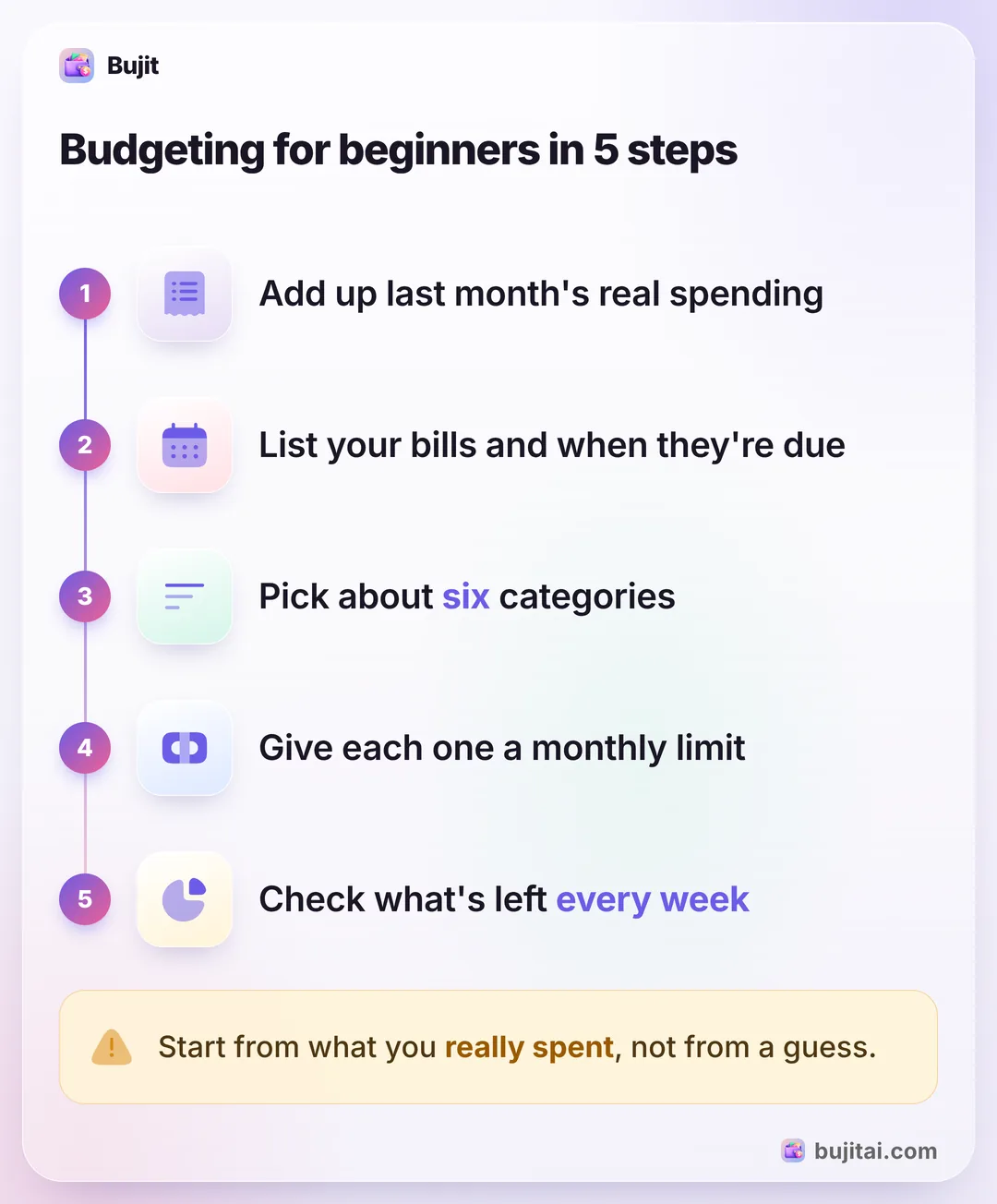
Budgeting for beginners comes down to one question: where does the money go, and how much of it should go there next month? You can answer it with a notebook, a spreadsheet or an app. The steps are the same.
- Find last month's real numbers. Add up what came in: pay, side work, benefits. Then add up what went out, from your bank and card statements, your receipts and any cash you remember. This is the hardest step and the most useful one.
- List your bills and when they're due. Rent, phone, insurance, subscriptions and loan payments, with the day each one leaves your account. If you run short at the end of the month, it may be that bills and paydays don't line up, not only that you spent too much.
- Pick about six categories. Housing, food, transport, shopping, entertainment and health cover most months; the phone and insurance can go under housing, or in a bills category of their own. Add one only when a category hides something you want to watch, such as takeout inside food. Choosing categories that fit your life has more on this.
- Give each category a monthly limit. Take what you want to save off your income, then split the rest across your categories, starting with the bills that must be paid. Start from last month's numbers and trim the ones you want to bring down, a little at a time.
- Track as you spend, and check every week. Log each purchase when you pay, then compare what's left in each category with the weeks left in the month. After the first month, raise a limit you went far over, lower one you never came close to, and move money between them.
If you don't know last month's numbers, start tracking today and set your limits at the end of the month. Logging every expense for a month is the place to begin.
Why a first budget falls apart in week three
Most first budgets don't fail on day one. Week one goes fine, and by the third week the money's gone. It's rarely willpower. It's usually one of four things.
- The limits were guesses. A food limit you picked because it sounded right breaks the first time real life costs more. The fix is step 1: real numbers from last month.
- The month wasn't even. A yearly subscription, a car repair or a birthday lands in one week and empties a category. Give the bills that don't come every month a line of their own, and put a little toward them each month.
- The logging slipped. A few purchases you didn't write down, and the numbers stop meaning anything. Log when you pay, not at the end of the day.
- You found out too late. Checking only at the end of the month means you learn you were over when it's too late to change anything. A weekly check gives you three more chances.
After a bad week, don't start over. Move money from a category with room to spare, and carry on. Keeping a budget going past the first month has more ways to stay on track.
Budgeting methods to try next
A budget by category, built from last month, is the simplest start. Once you know your numbers, one of these methods can give it more shape:
- The 50/30/20 rule splits take-home pay into needs, wants and savings.
- A zero-based budget gives every dollar of income a job before the month starts.
- Envelope budgeting puts a fixed amount in each category, in cash or in an app, and stops spending there when it's empty.
All three depend on the same habit: knowing what you spent.
What a budget on paper doesn't do
A notebook or a spreadsheet holds the plan, but it only knows what you type into it. It won't warn you on its own when a category is nearly empty, and the numbers are only as current as the last time you sat down with your receipts.
| Notebook | Spreadsheet | Bank app | Bujit | |
|---|---|---|---|---|
| Adds up each category for you | With formulas | Some banks, that bank only | ||
| Shows what's left this month | If you work it out | If you build it | Some banks | |
| Includes cash | As ATM withdrawals | |||
| Tells you when a category is nearly spent | Some banks | A banner when you add an expense in the app | ||
| Needs a bank login | No | No | Yes | No |
How to set up your first budget in Bujit
Bujit, the app we make, has no bank login and no account. You log what you spend, and each budget shows what's spent against its limit.
In Bujit
Get Bujit- See last month first. Open History, tap This Month and choose Last Month, then tap a category to see how many expenses it had and their total. New to Bujit? Log this month as you go and set your limits from it.
- Keep the six categories, or add your own. Bujit starts with Food, Transport, Housing, Entertainment, Shopping and Health. To add one, tap the gear on Home, then Categories, then +.
- Give each category a limit. Open Budgets, tap Set a budget under a category, enter the monthly amount and tap Save. For one number for the whole month, tap Set on the Monthly Budget card at the top.
- Choose when to hear about it. Drag Notify me at to the share you want, such as 80%. When an expense you add in the app passes that line, a banner tells you. Apple Pay taps logged by Shortcuts don't show it when you pay, so open Budgets once a week too.
- Log as you spend. Tap + at the top right, then Manual Entry, enter the amount, what it was for and the category, and tap Save. Or tap the microphone and say it (voice entry is part of Bujit Pro).
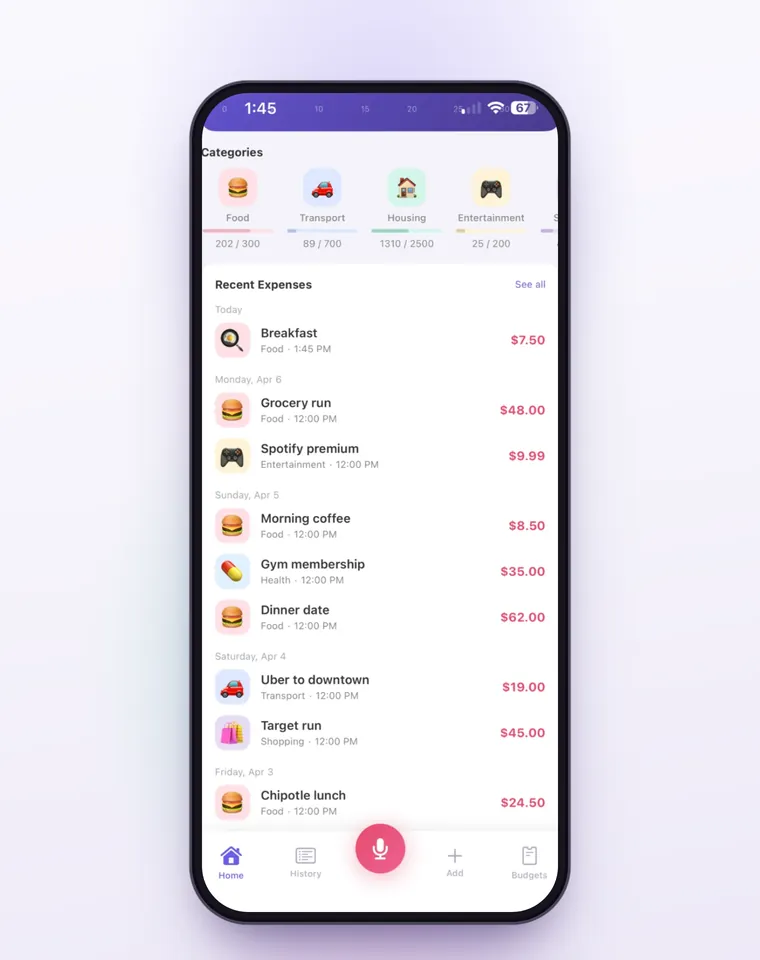
A Shortcuts automation can log each Apple Pay purchase when you tap your iPhone to pay. Voice entry is part of Bujit Pro. It sends what it needs to Google Gemini, and only after you agree. Your expenses are stored on your phone.
Which should you use?
- You like to write things down and don't mind the math: a notebook, with the weekly check on the same day each week.
- You like tables and want to see the year build up: a spreadsheet, updated from your receipts every few days. Google's free budget templates for Sheets save you from building one, and so do Microsoft's free budget templates for Excel.
- You pay for almost everything with one card: your bank app's categories may be enough to start, as long as you check them weekly.
- You use cash and cards and want to see what's left without adding it up: a budgeting app like Bujit, logged when you pay.
Whichever you pick, give it one full month before you judge it. The second month's budget is the one that fits.
Questions people ask
How do I start budgeting as a beginner?
Start with last month. Add up your income and what you spent, using your bank and card statements and your receipts, and list your bills with the days they're due. Then sort your spending into about six categories, give each a monthly limit and check what's left every week.
How many budget categories should a beginner have?
About six is plenty to start: housing, food, transport, shopping, entertainment and health, for example. Fewer categories are easier to keep up. Split one only when it hides something you want to watch, like takeout inside food.
What if my income changes from month to month?
Budget from your lowest month in the last few, not your best one. When a bigger month comes, put the extra toward savings or next month's bills instead of raising your limits.
Why does my budget fall apart by the third week?
Usually for one of four reasons: the limits were guesses, the month wasn't even (a yearly bill or a busy week), the logging slipped, or you found out you were over only at the end of the month. Each has a fix: real numbers, a line for the bills that don't come every month, logging when you pay and a weekly check.
Which budgeting method is best for beginners?
The one you'll keep up. A simple budget by category, built from last month, is the easiest start. Once you know your numbers, a rule like 50/30/20 or a zero-based budget can give it more shape; they all depend on tracking what you spend.
Can I set up a budget in Bujit?
Yes. Open Budgets, tap Set a budget under a category, enter the monthly amount and tap Save. Notify me at shows a banner when an expense you add in the app passes the share you pick, such as 80%. Bujit has no bank login, so it counts what you log.